
Their name. Their character. Their story.
Turn a photo of your child into an illustrated storybook character, or generate a character sheet from a written description with no photo needed. Make a personalized children's book with their name, their adventure, and illustrations you can review and refine.
Start a free book previewSee how it works
Free previews are watermarked. A paid plan includes clean digital PDFs and print-ready book files you can download and submit to a separate printing service. StoryBookWriter does not currently print or ship books.
More than a name in a book
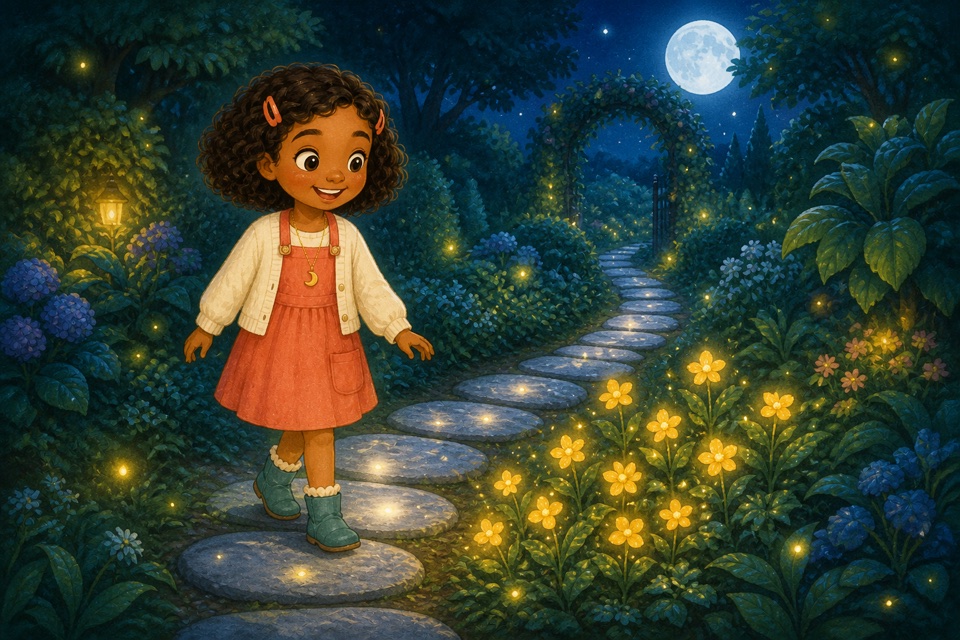
Your child could follow a trail of lanterns, help a sleepy dragon, or find a map in a familiar garden. You choose what happens, who joins them, and what makes the story feel like theirs.
Create their illustrated character from a photo or describe the appearance you have in mind. Use the approved character sheet to guide your story illustrations, then edit the words and review each page.
How to create your personalized children's book
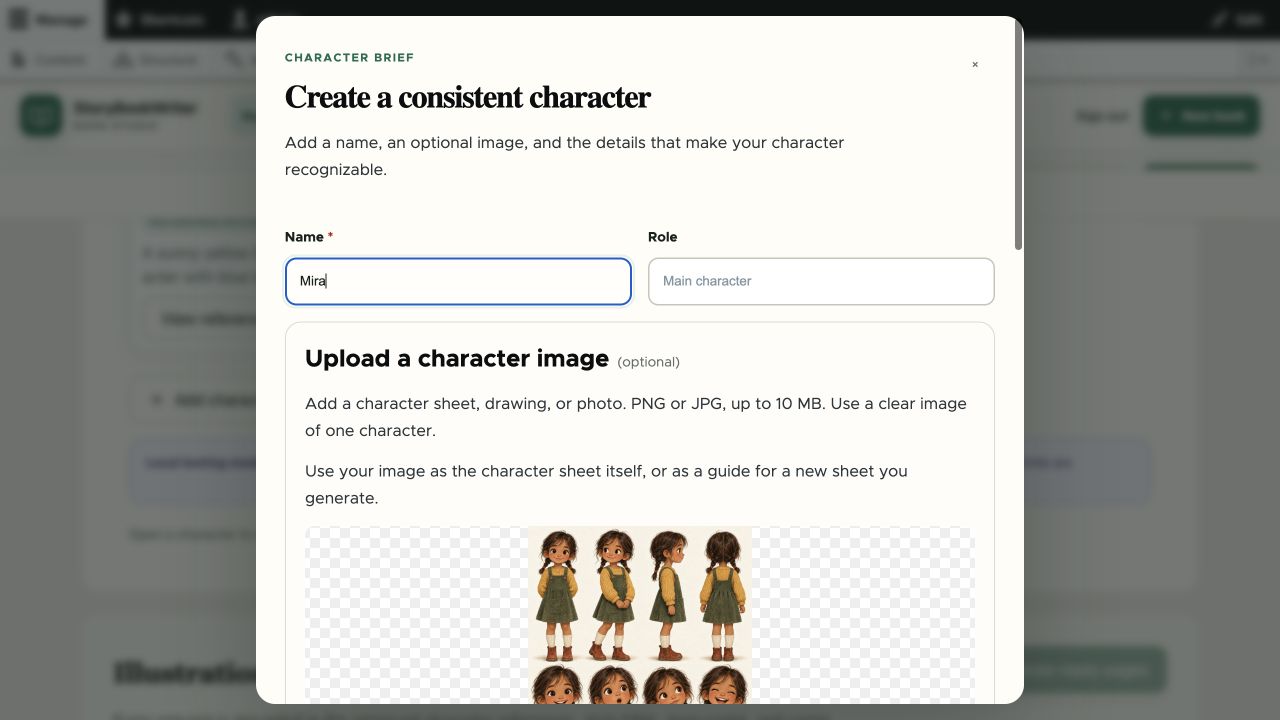
Start a book and choose your story.
Begin with an idea, outline, or manuscript. Set the intended reader and book format. For a young child, choose one simple adventure with a reassuring ending.
Create a character from a photo or a description.
With a photo: give the character your child's name and upload a photo you have permission to use. Choose the option to adapt the image into a storybook character, describe the illustration style you want, and generate a character sheet.
Without a photo: enter a name and describe the character's appearance, hairstyle, clothing, and distinguishing features. Select Generate character sheet to create the illustrated reference from your text alone.
Review and approve the character sheet.
Check the face, hair, proportions, and outfit before approving the design. AI-generated likeness can vary, so review the result and refine it until you are happy with the storybook character.
Write the story with their name and familiar details.
Develop your draft with the writing tools or write the words yourself. Include a favorite animal, a meaningful place, or a shared family memory. You can edit every page.
Illustrate the scenes with the approved reference.
Use the character's saved name in each relevant scene brief. For example: “Maya carries a blue lantern along the garden path.” Review each illustration against the character sheet before approving it.
Read, revise, and export your book.
Review the page order, text, and images together. Download a watermarked preview on the free plan. With a paid plan, download a clean digital reading PDF or export print-ready interior and cover files to submit to a separate printing service.
Want to see the Studio in action? Follow Pip from a written character description to an illustrated sample book. This example uses text alone; you can also start your child’s character from a photo.
Learn how character references keep illustrations consistent, or use the free character-planning kit to record the details first.
From one character reference to different scenes
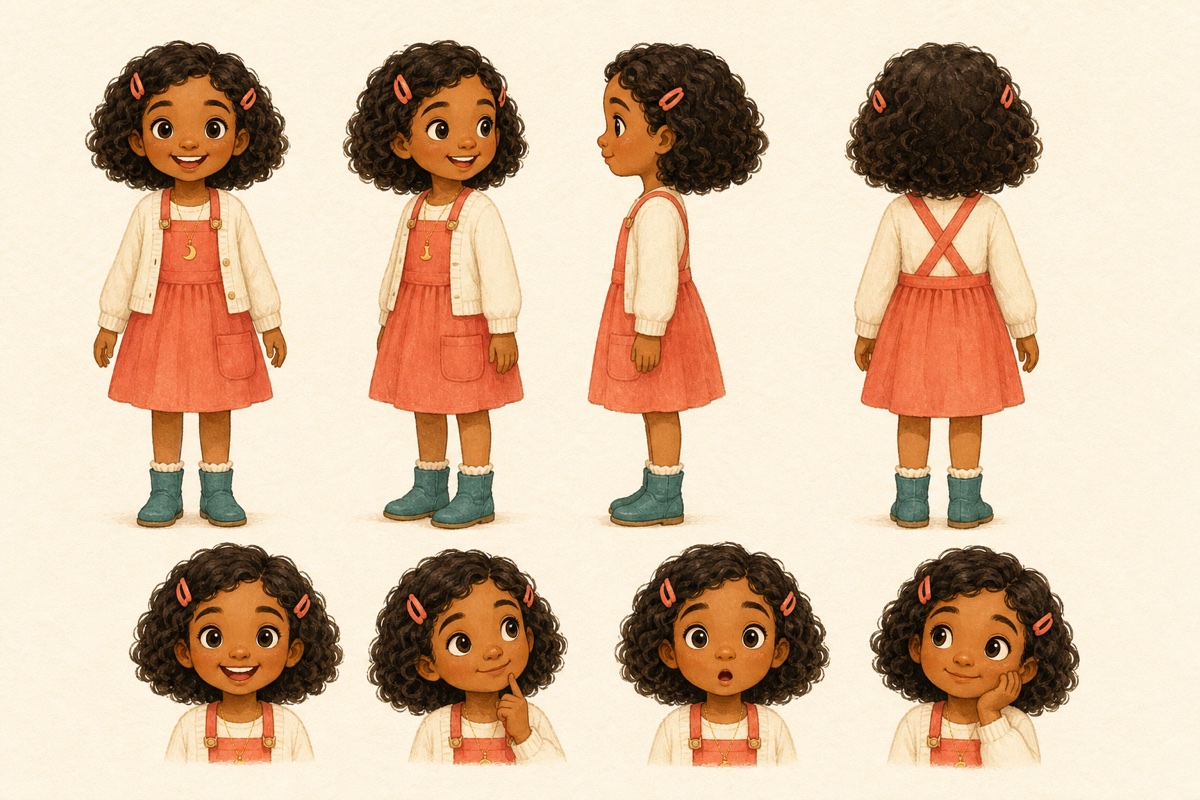
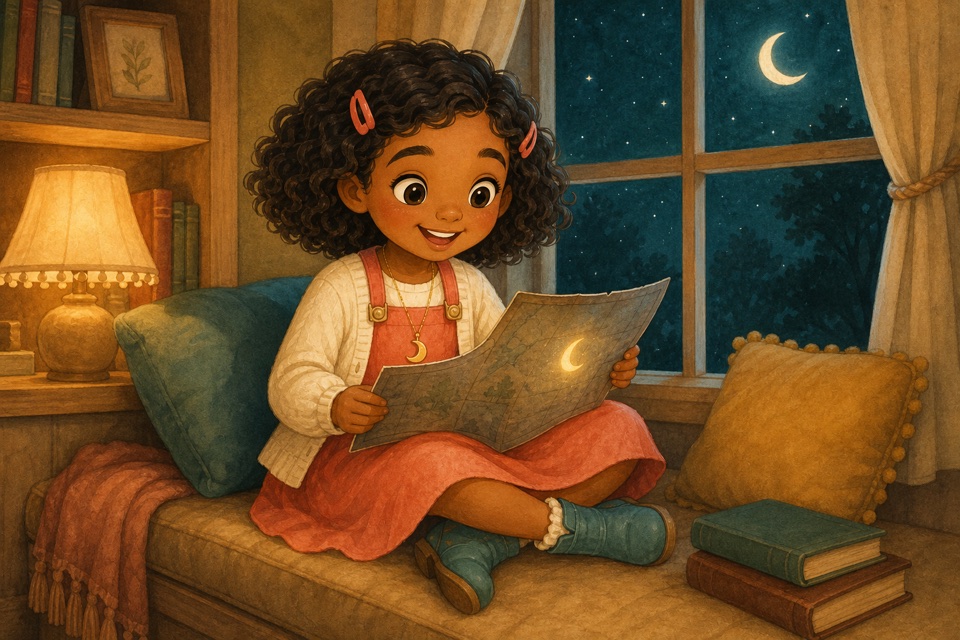
Your own book follows this reference-based approach. The character, story, and final images are yours to develop and review.
What would you like to make?
A bedtime adventure
Your child could help a sleepy dragon find a cozy nest, deliver goodnight wishes to forest friends, or sail through a sky full of stars with their favorite stuffed animal. Bring the adventure home with a cuddle and a final goodnight.
A birthday story
Write an adventure inspired by the people, places, and small milestones that made this year special. Add a personal dedication.
A family story
Bring a sibling, grandparent, or family pet into the cast. Give each character a distinct name and reference, then build scenes around their shared adventure.
These are story ideas you can develop in the Studio. You choose and write the story with optional AI assistance.
Download your book to read or print
- Keep editing your story and illustrations in the Studio.
- Download a watermarked preview PDF with the Free Preview plan.
- With a paid plan, download a clean, unwatermarked PDF to read and share.
- Download print-ready interior and cover PDFs to have your book printed through a separate service.
You don't need to publish or sell your book. You can simply make it for your family.
To get a physical copy, download the print files and submit them to your chosen printing service. That service handles the printing and shipping. StoryBookWriter does not currently offer printed-book ordering.
Compare current plans and AI credit allowances. Generation and revisions use credits; the amount of work you can complete depends on your plan and the actions you choose.
Questions about personalized children's books
Can I put my child's name in the story?
Yes. Name the character after your child and use that name in the manuscript and scene briefs. Review the text before export, including spelling and any dedication.
Can I turn a photo of my child into a storybook character?
Yes. Upload your child's photo and use the adaptation option to generate an illustrated character sheet. Review and approve the design, then use that reference in your story's illustrations. The result is a stylized interpretation of the photo; likeness may need refinement.
Can I generate a character sheet without uploading a photo?
Yes. Give the character a name, describe their appearance in text, and select Generate character sheet. You can create the illustrated reference from your description alone.
Do I need to write a whole story before I start?
No. Begin with an idea and develop it with the planning and writing tools, or bring an existing draft. The story remains editable.
Can I make a book about siblings or other family members?
Yes. Create a separate character for each person you want to include. Use distinct names and approved references to make the cast clear in scene briefs.
Can I export my book to have it printed elsewhere?
Yes. A paid plan includes downloadable print-ready interior and cover PDFs in supported formats. Submit the files to a separate printing service whose specifications match your export. That service prints and ships the book; StoryBookWriter currently provides the files.
Can I try it before paying?
Yes. Start with the Free Preview plan and its limited AI credits and watermarked preview PDF. A paid plan is required for clean PDF downloads and print-ready files. See current plan details.